Tracking your progress is the best way to optimize your outreach. In Seleqt, every single campaign has its own dedicated Analytics page, giving you granular insights into every message, invite, and reply.
To access it, simply click on any campaign from your list and select the Analytics tab in the top right corner.
Here is a breakdown of the three main zones you will find on this page:
At the very top of the page, you are in control of the timeline.
Date Filters: Choose a preset range (like 7 days or 30 days) or click Pick dates to set a custom timeframe.
Quick Stats: Just below the filters, you will see a snapshot of your campaign’s overall health during that specific timeframe. This includes your total contacted leads, messages sent, and your all-important reply rate.
As you scroll down, you will see the Statistics over time bar chart. This visualizes your daily activity so you can easily spot trends and peak engagement days.
But this section isn't just for looking at numbers! It is completely interactive.
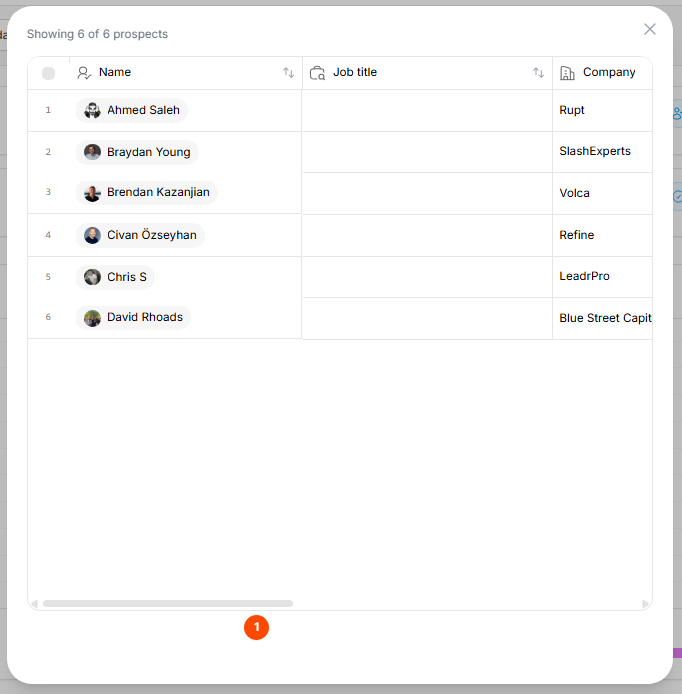
Click the Metrics: Try clicking on the Contacted leads metric above the chart. A pop-up will instantly appear showing you the exact list of prospects who were reached during your selected timeframe.
At the bottom of the page is your Campaign pipeline. This is a visual map of your exact outreach sequence, and it is a powerhouse feature.
This map is completely dynamic, meaning the numbers update based on the date range you selected at the top of the page! It shows you exactly how many leads completed, failed, or replied at each specific step of your sequence.
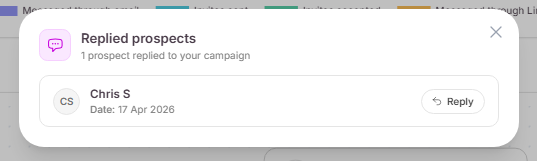
⚡ Direct Reply Feature: If a lead replies to a specific step, you will see a Replied button next to that block on the map. Click it to open a pop-up where you can read their message and type your response directly from the Analytics page—no need to switch to your inbox!
Keep iterating and improving! 💡 By regularly checking these analytics, you will start to see exactly which messages are capturing attention and which steps might need a quick rewrite. Keep tweaking your sequences, and watch those reply rates soar! 🚀