By integrating Seleqt with n8n, you can build powerful, custom workflows that connect your outreach efforts to the rest of your tech stack. Whether you are using n8n Cloud or a self-hosted Docker environment, getting set up is incredibly simple.
Here is your step-by-step guide to connecting the two platforms!
First, you need to install the Seleqt node into your n8n environment.
In your Seleqt dashboard, click on Settings in the bottom left corner.
Go to the Integrations tab.
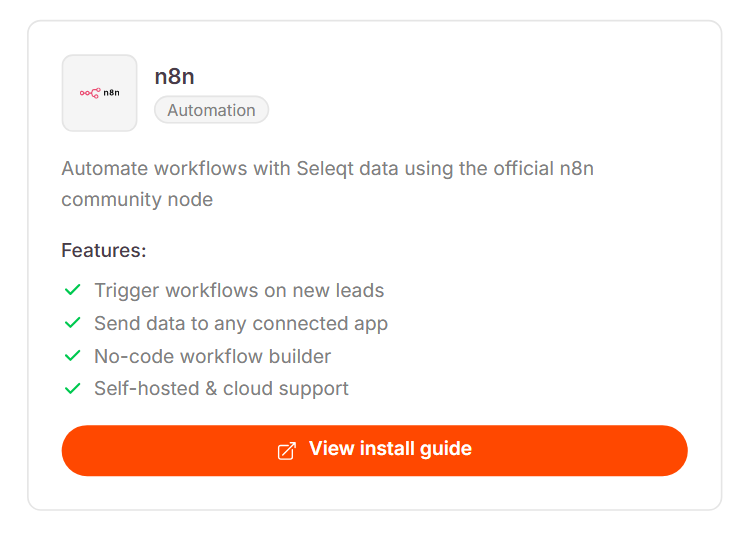
Scroll down until you find the n8n option and click View installation guide.
This will open the official NPM package page (n8n-nodes-seleqt). Here, you will find the complete installation documentation and terminal commands required for both n8n Cloud and self-hosted Docker setups.
To securely connect the platforms, n8n needs an API key from your Seleqt workspace.
Navigate back to your Seleqt dashboard.
In the left-hand menu, click on Public API to open your API keys and webhooks page.
Click the orange Create API key button.
Give your key a recognizable name, such as "n8n," and click Create.
A window will pop up with your new API key. Click Copy to clipboard and keep it ready.
Now, hop over to your n8n canvas to build your workflow.
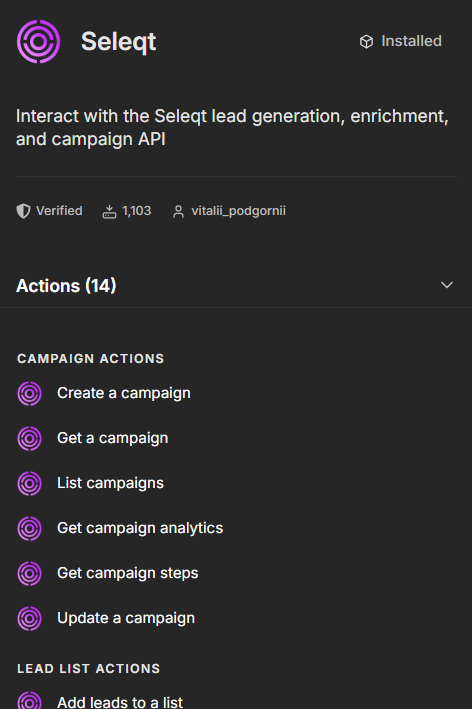
Click the + icon on your canvas to add a new step and choose Action in an app.
Search for Seleqt in the search bar and select it.
You will see a list of available actions (like Campaign Actions, Lead List Actions, Prospect Actions, and Inbox Actions). Choose the operation you want to perform.
The last step is pasting your API key so the Seleqt node can communicate with your account.
Inside the Seleqt node details, look for the Credential section.
Open the dropdown and select Create new credential.
Paste the API key you copied from Seleqt into the API Key field.
Click the orange Save button in the top right corner.
You will instantly see a green “Connection tested successfully” message. Your node is now active and ready to use!
You are fully connected! ⚡ That is how you can easily integrate n8n with Seleqt to automate your daily workflows. You can now build powerful visual pipelines to manage your campaigns completely hands-free.